Staff leave management software for companies of every size
WhosOff is the UK's leading online leave planner - replacing paper forms, wall planners, and tangled spreadsheets with a smart, cloud-based leave management application your whole team will actually use.
Book a 20-min demo


















WhosOff is the leading professional employee holiday booking system that allows you to manage your staff leave. Sign up today for your FREE trial.
https://www.whosoff.com
support@whosoff.com
+44-1227-812933

GB749797747
See who's off, when, and why - in seconds
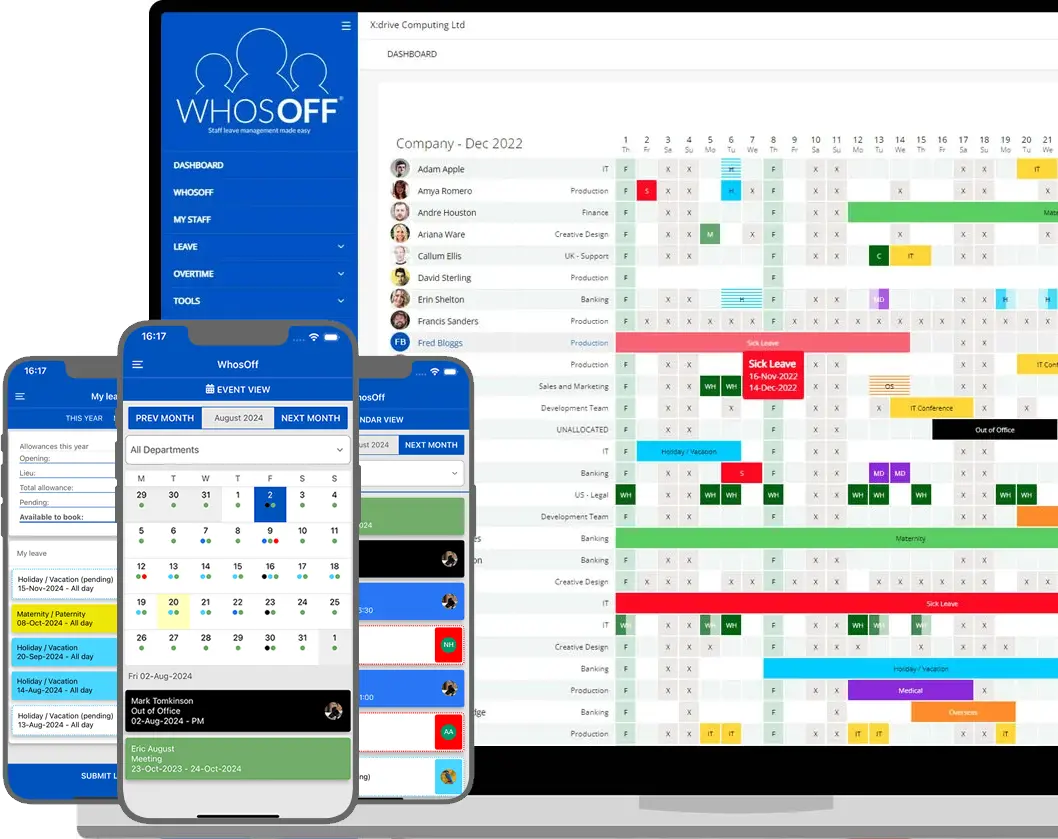
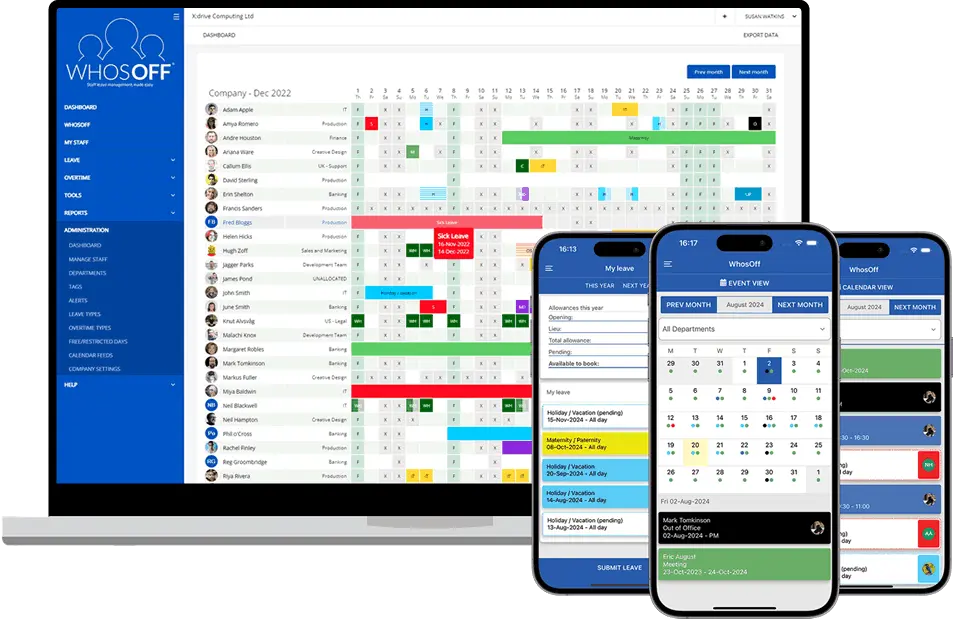
WhosOff is a complete staff leave management platform. Manage annual leave, sick days, TOIL, and more - from a single, beautifully clear dashboard.
Online Leave Requests & Approvals
Employees submit holiday requests via web or app. Managers approve or decline in one click, with instant notifications both ways. Your online staff leave process - handled end-to-end, automatically.
Team Availability at a Glance
Your online leave planner gives every manager a live view of the whole team's availability - preventing conflicts, closing gaps, and ensuring the right people are always available when it matters.
Absence & Sickness Reporting
Export payroll-ready reports on leave taken, sick days, TOIL balances, and remaining entitlements - for any date range, any department. Your accountant or payroll provider will thank you.
Overtime & TOIL Tracking
Create unlimited overtime types - evening cover, weekend work, call-outs - and track Time Off In Lieu balances automatically. Payroll reporting comes included, ready to hand to your accounts team.
FREE iOS & Android Apps
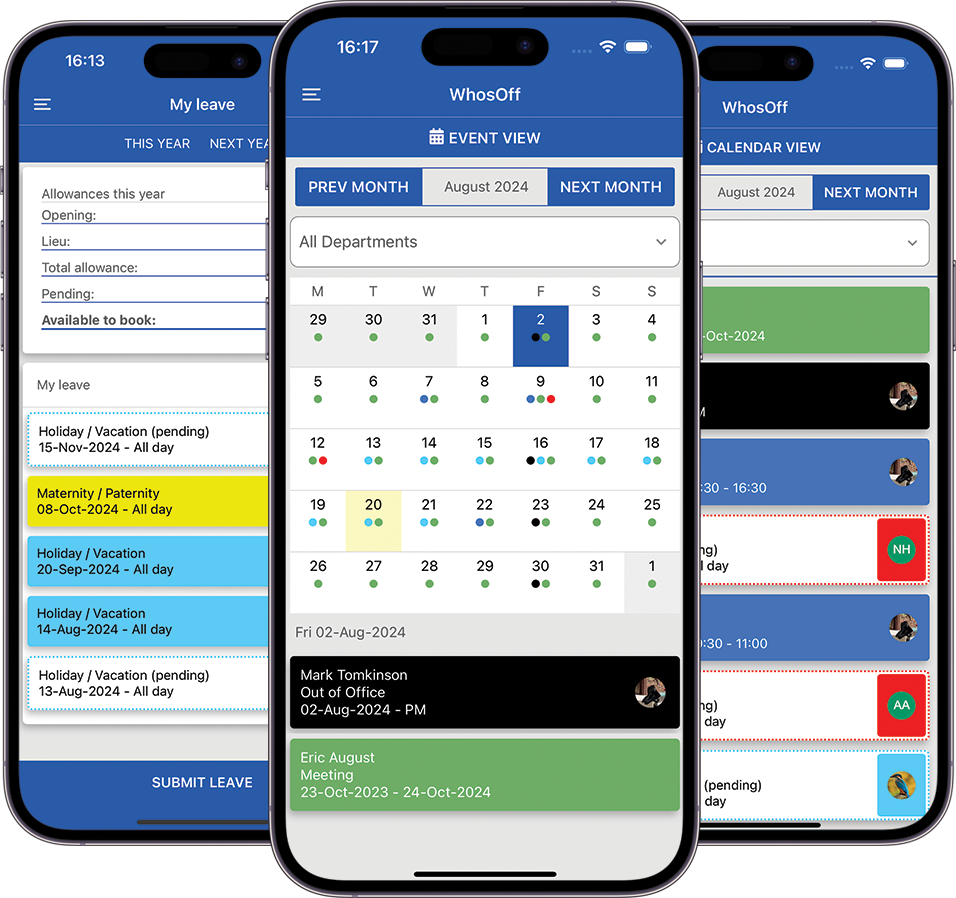
Submit leave, approve requests, check entitlements, and view team availability from your phone - whether in the office, on the road, or working from home. The apps are completely free for all users.
Staff Hub & Document Storage
Store employment contracts, HR policies, and personnel records securely - with read-and-agree receipts for compliance. WhosOff's Staff Hub replaces the need for a separate HR document system entirely.
Your staff holiday booking system, up and running today
Getting started with WhosOff takes minutes. Our onboarding team guides you through setup, migrates your existing data, and makes sure your team hits the ground running.
1
Create your account, add your departments and leave policies, and configure your entitlement rules. Our onboarding team is with you every step.
2
Send invite emails directly from WhosOff. Employees log in, see their allowances, and can submit leave requests immediately - from any device.
3
Managers get notified of every request and approve in one click. The team calendar updates in real time, so you always know who's available.
4
Run absence and entitlement reports on demand, export to Excel, and feed accurate data straight to your payroll provider - no manual reconciliation.
Real humans. No bots.
UK based support team
Every WhosOff customer - from day one of their free trial - gets the same first-class support. Our UK-based team is available by phone, email, webinar, and live demo, at no extra cost. No support tiers, no chatbot runaround, no waiting for a ticket to be assigned across timezones.
Whether you're migrating from a spreadsheet or switching from another leave management application, our team handles the heavy lifting so you don't have to.
Phone support
Talk to a real person, not a voicemail system.
Email support
Fast responses from the same team every time.
Live demos
A personalised walkthrough of WhosOff for your team.
Knowledgebase
Hundreds of guides, tutorials, and how-tos - always free.
Hi, we're just setting up WhosOff and I'm not sure how to configure different leave allowances for part-time staff. Can you help?
Hi! Great question - WhosOff handles part-time allowances just as easy as full=time allowances, using pro-rata calculations. We have an online allowance calculator which I can walk you through it right now, or if you prefer, I can drop you a link to our knowledgebase article for reading at your convenience. Which would be more helpful for you?
Sending me the link to follow through later would be great, thank you!
Done! I've sent you a direct link via email ready for when you have time. Should you need any further assistance let us know and we can setup a quick online meeting! 😊
WhosOff fits into your existing tech stack
From calendar feeds and SSO to Slack notifications and a fully documented API, WhosOff connects where you need it to - without disrupting the tools your team already relies on.











What our customers say about WhosOff
Over 2,500 organisations - from small businesses to global teams - have chosen WhosOff as their staff leave management software. Here's why they stay.

"We signed up to WhosOff over 10 years ago and have never looked back. I recommend it to absolutely everyone. The system just works, and when we've ever had questions, the support team have been exceptional."
Operations Manager
"For 10 years, Positive Action in Housing has been using WhosOff to manage staff leave - holidays, sick leave, and flexi-time. It's become an indispensable part of how we run our HR processes."
Human Resources Officer
"Excellent system which I have used at two companies now. As soon as I started at my current company, this was one of the first tools I insisted on implementing. It pays for itself in saved admin time within weeks."
Head of IT
"Ever since signing up to WhosOff, our annual leave policy has become seamless and efficient. No more emails, no more spreadsheets, no more 'did you get my request?' - everything is in one place and it's brilliant."
Office Manager
2,500+
companies using WhosOff20 yrs
in business since 20055★
Average customer rating£0
Cost to trialUK
Based human support teamTake control of online staff leave, starting today
Join over 2,500 companies using WhosOff's leave management application to save time, prevent scheduling chaos, and keep their teams running smoothly.
Insights for HR teams and leave managers
Leave Management Software v Outlook Shared Calendars and Spreadsheets - A Comprehensive Guide
Most businesses don't set out to buy leave management software - they start with a spreadsheet, or a shared Outlook calendar, and it works fine for a ...
Read article →What is Absence Management Software? A Full UK Guide
Who's in, who's off, and when are they back? It sounds like a simple question - until sickness, holiday clashes, and a spreadsheet nobody's updated si...
Read article →Leave Management Software for Small Businesses: A Practical Guide
A spreadsheet is fine when there are five of you. It's less fine when requests are arriving by email, WhatsApp, and sticky note, and nobody's quite su...
Read article →